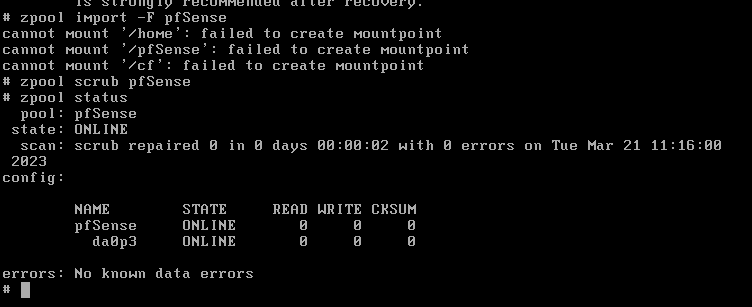
- You will need to use the pfSense installation environment to fix this. Create a USB Memstick and boot your pfSense device into Single User mode on the memstick (boot option 2).

- Use the following commands once the device is booted into single user mode from the memstick:
#list detected zfs pools. Default pool is pfSense
zpool import

#zpool soft import (this will probably fail)
zpool import -f (pool name, case-sensitive)

#example import for zpool named pfSense:
zpool import -f pfSense

#zpool force import
zpool import -F (pool name, case-sensitive)

#example force import for zpool named pfSense:
zpool import -F pfSense

#it's a good idea to run a scrub after the recovery:
zpool scrub (pool name, case-sensitive)